
EagleView Assess
Evaluative Research • Usability Testing • 4 months
I collaborated with EagleView to evaluate and improve the usability of Assess, an AI-powered drone inspection tool used by insurance and field adjusters. Through heuristic evaluation and usability testing with real users, I identified critical friction points impacting efficiency and accuracy. I translated these insights into actionable design recommendations that streamlined workflows, reduced errors, and improved overall user confidence — helping align the product experience with EagleView’s goal of faster, more reliable claims processing.
Turning usability gaps into business impact for a high-stakes drone inspection platform.
TLDR;
Results & Impact (At a Glance)
1.5x
20%
More insurance claims resolved per day
Reduction in loss adjusted expenses.
Tidbits
Timeline
Jan 2023 - May 2023
(4 months)
Tools
Usertesting.com
Qualtrics
Mouseflow
Google Docs
Microsoft Teams
Team
5 UX Researchers
1 Senior UX Designer
1 UX Design Intern
1 Software Engineer
Role
Conducting heuristic evaluation.
Developing the usability testing plan.
Conducting usability tests.
Analyzing qualitative & quantitative data.
Synthesizing findings into actionable recommendations.
Co-presenting insights to EagleView’s Assess team.
BACKGROUND
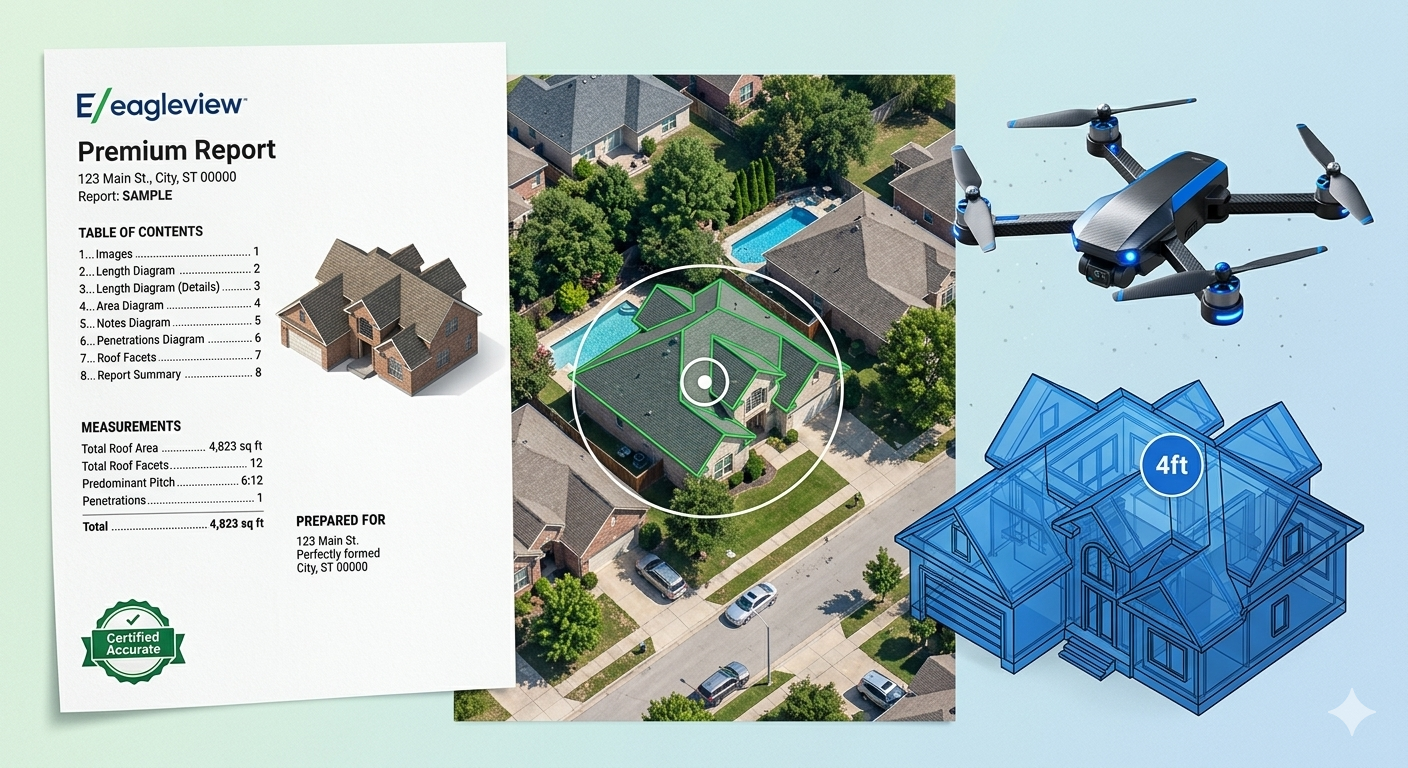
EagleView Assess™ is a drone-technology tool designed to remotely inspect roofs and detect damage.
EagleView is a leading provider of aerial imagery, geospatial data, and AI-driven analytics. Their solutions support industries like construction, insurance, government, and utilities in making precise, data-driven decisions. EagleView Assess™ is an autonomous drone-technology tool designed for insurance claim managers, field adjusters and construction managers. By combining drone imagery with AI-powered analysis, it streamlines claims processing, enabling faster, safer, and more accurate decision-making.
PROBLEM
Assess's UI had critical usability gaps which interfered with a high-stakes workflow.
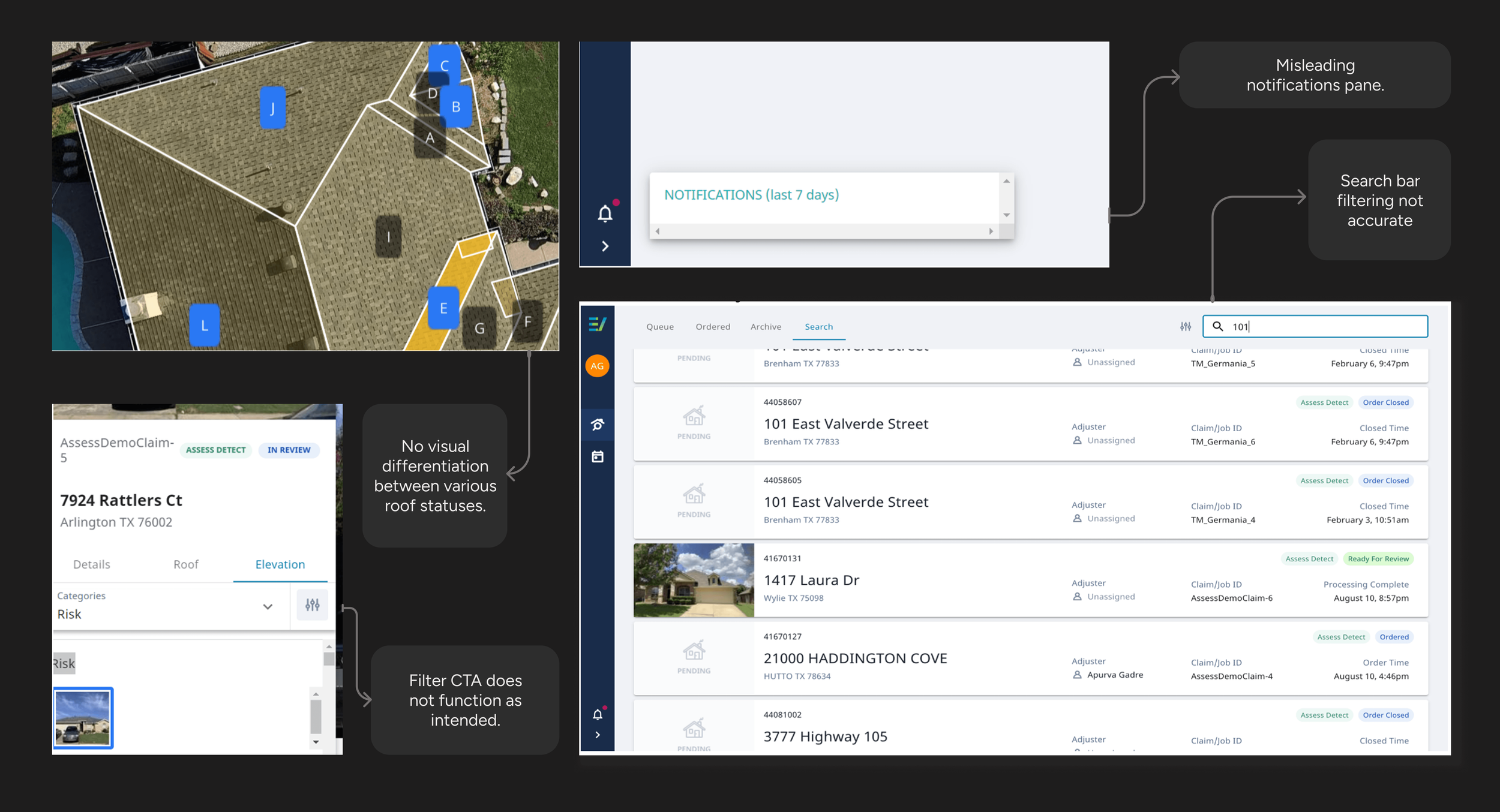
EagleView’s Assess tool had several usability issues—from unclear feedback and broken filters to inconsistent UI elements.
Example usability gaps with the UI of the Assess tool.
These gaps had several implications & affected both user efficiency and business accuracy in claims processing.
WHY IT MATTERED?
They had several implications for both insurance adjusters and EagleView.
GOALS
Business Objectives
Improve adjuster efficiency during roof damage inspections.
Ensure faster, more consistent claim resolutions.
Reduce training and support overhead through intuitive design.
Increase adoption and retention of the Assess tool.
Maintain EagleView’s reputation as a leader in AI-driven inspection technology.
SOLUTION
Actionable Design Insights to Streamline Workflows & Restore Confidence
To address the usability gaps, we provided detailed, data-backed recommendations to fix the UI problems. The solution focused on improving interface clarity, reducing cognitive load, and restoring user trust through better feedback, labelling, and system behaviour. By presenting these findings to both designers and developers at EagleView, we were able to advocate for enhancements that balanced user needs with business goals—ultimately enabling faster, error-free inspections and a more intuitive workflow for adjusters in the field.
We came onboard this project through RIT's partnership with Eagleview for the duration of a semester. Through an initial kickoff meeting with the stakeholders, our team was introduced to everything from teammates to project objectives and how the business works. Since the tool would be used by busy field adjusters and contractors, often under time pressure and in high-stakes claim situations—usability directly impacted its business success.
To address the problem, we began with a broad statement and later narrowed down our focus.
THE PROCESS
How might we improve the usability of EagleView Assess™ to help insurance claim managers and roofing contractors more efficiently navigate the tool & generate reports with greater ease and accuracy?
A combined heuristic and usability-testing approach helped us see both surface-level friction and deeper workflow issues.
RESEARCH APPROACH
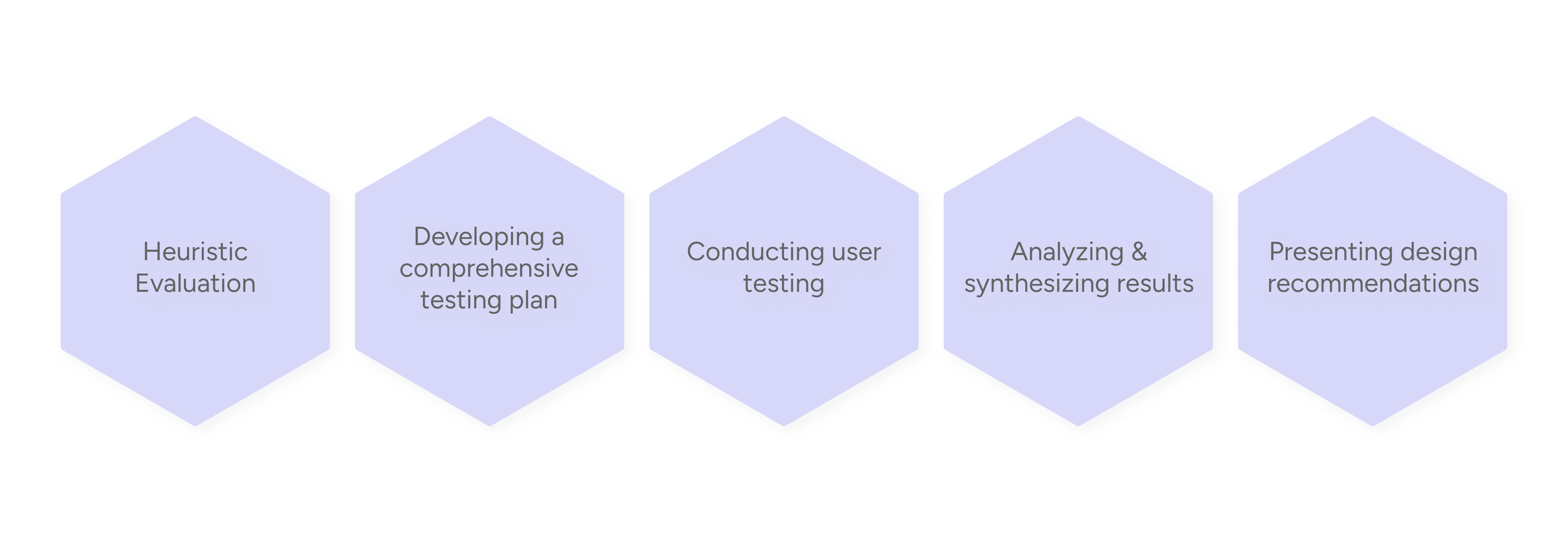
We used a structured evaluation process to understand how the interface performed against usability principles and how real users navigated key tasks in practice.
Heuristic Evaluation
✦ Helped identify surface-level issues.
We determined the first step to take would be to evaluate Assess's present state of usability on the existing UI solutions. This helped identify usability issues early before involving real users, generate focused usability tasks, thereby reducing testing scope and prioritizing fixes.
We then rated the violations based on their severity - low, medium, high and also made recommendations on how the issues could be resolved.
13
✦ Key heuristic violations found using NN/g usability heuristics
5 Medium
6 High
2 Low
Usability Testing
✦ Helped identify deeper workflow issues by observing real task behaviour.
We determined the tasks and success criteria when charting the detailed test plan in the previous step to conduct the tests and analyze the results.
We conducted user testing with 6 experienced insurance adjusters, all aged 30+, familiar with the damage assessment tool.
Methodology
Direct Observation
Think-aloud Protocol
Mouseflow Analytics
Post-task Interview
Data Collected
Qualitative
Quantitative
User frustrations
Satisfaction levels
Feedback on task difficulty
Task completion times
Number of errors
Success rates
Tools
Zoom
Mouseflow
Screen-recording software
Audio & video recordings
Before moving into design recommendations, we mapped the insurance adjuster’s journey through the core tasks we tested. This helped us understand not just what users struggled with, but when and why friction appeared across the workflow. The journey revealed that while opening a case and generating reports felt relatively intuitive, adding damage, interpreting statuses, and confirming saved work were the moments where uncertainty and cognitive load were highest.
A user journey map helped turn isolated usability issues into a connected workflow story.
ANALYSIS: USER JOURNEY MAPPING
Using the patterns surfaced through heuristic evaluation, usability testing, and journey mapping, we provided targeted interface-level recommendations to improve user task flows. Rather than redesigning everything, we focused on the moments where users slowed down, felt unsure, or had to work harder than necessary.
The recommendations below show how small but intentional UI changes can improve discoverability, feedback, and task efficiency and help adjusters move through high-stakes inspection tasks with greater speed and confidence.
Translating the most critical usability issues into targeted UI improvements.
DESIGN RECOMMENDATIONS
1. Damage display options were too far from the target area
Problem
Controls were detached from the working area
This feature helped adjusters filter visible damage markers on the roof. The “Fewer / Recommended / More” toggle helped them control how much detail they want to see, which is essential when validating a claim.
Impact
The placement forces users to shift focus across two separate areas increasing cognitive load and slowing down task completion.
Recommended Option
Group controls with the damage table
I recommended grouping the controls with the damage table to reduce screen scanning and make the interaction more intuitive. This improved contextual clarity without adding extra steps, though it required tighter use of side-panel space.
Expected Impact
Lesser time on task.
Decrease in cognitive load
Explored Alternative
Surface controls as an in-canvas toolbar
I explored an in-canvas toolbar to bring controls closer to the active area, but it was not selected because it introduced more visual clutter and could obstruct inspection imagery. Option A offered a better balance of efficiency and clarity.
2. System errors lacked enough guidance for recovery
Problem
The error message explained the failure, but not the recovery path
The Assess Scheduler helps adjusters remotely initiate inspections, but when users tried to access it, the system displayed a vague error message that did not explain what went wrong or what they could do next.
Impact
Left users confused and stuck.
Recommended Option
Add a clear recovery message with next steps
We recommended rewriting the error state to explain the issue in plain language and guide users toward recovery through a retry action, troubleshooting tip, and a help link. The tradeoff was that it required a slightly larger error component.
Expected Impact
Reduced user frustration.
Trust in the system's reliability.
Minimized reliance on customer support for recoverable errors.
Explored Alternative
Keep the message lightweight with a compact inline alert
We also explored a lighter inline alert that preserved screen space, but did not choose it because it still relied too heavily on users interpreting the issue themselves. Option A offered clearer recovery support at a moment of high uncertainty.
3. Roof status options lacked clear visual differentiation
Problem
Different roof statuses looked too similar at a glance
Insurance adjusters use the 'facet decision' feature to mark and categorize the condition (Replace, Repair, No Damage, Undecided) of each roof section.
The “Undecided” status was gray, but all other statuses—Replace, Repair, and No Damage—were the same blue color, offering no quick way to tell them apart.
Impact
Increased time of task
Increased errors
User frustration
Recommended Option
Use distinct status colors with supporting labels
We recommended assigning a unique, accessible color to each decision state and pairing it with compact labels and a visible legend. This made statuses easier to distinguish at a glance, reduced ambiguity, and better supported quick decision-making during time-sensitive claim review.
Expected Impact
Shorter time on task
Reduction in user errors caused by status confusion
Higher satisfaction levels due to easier visual recognition
Explored Alternative
Surface decisions through a table-led view with supporting on-canvas labels
We also explored a direction that relied more heavily on the side table and secondary on-canvas labels. While this improved structure, it made the workflow feel denser and required more back-and-forth visual scanning, so we did not choose it as the primary solution.
IMPACT
Because Assess supports high-stakes inspection and reporting tasks, even small moments of confusion slowed users down and increased uncertainty. We provided targeted recommendations that focused on reducing friction at critical points in the workflow. The impact it had is as follows:
The impact went beyond usability — it strengthened both task performance and product value.
This project helped me see how much impact seemingly small interface decisions can have in a fast-paced, high-pressure workflow. It pushed me to look beyond surface-level usability issues and think more deeply about confidence, task flow, and the kind of feedback users need to keep moving without second-guessing themselves.
✦ I learned that strong UX in enterprise tools often comes from solving small moments of friction.
REFLECTIONS & LEARNING
NEXT STEPS
I would love to conduct another round of usability testing with insurance adjusters to test the implemented design recommendations. Comparing the updated experience against the original workflow would help measure whether the changes improved task completion, reduced confusion, shortened time on task, and increased confidence across key inspection tasks.
✦ Testing the redesigned experience